BackwardVectorDemo
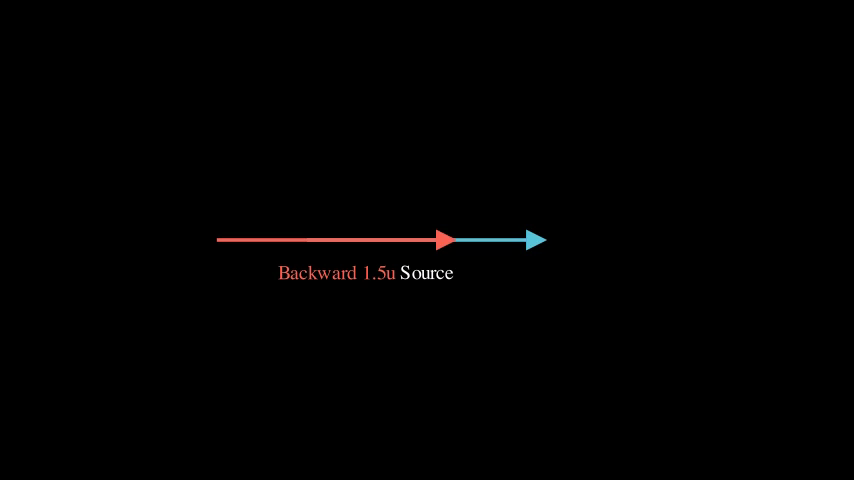
Copy and shift a vector backward
Preview
Video
Code Example
source = VectorUtils.create_vector(LEFT * 2, RIGHT * 2, color=BLUE)
self.play(Create(source))
self.wait()

distance = 1.5
shifted = VectorUtils.backward(source, distance).set_color(RED)

self.play(TransformFromCopy(source, shifted), run_time=2)
self.wait(2)
BasicDecompositionDemo
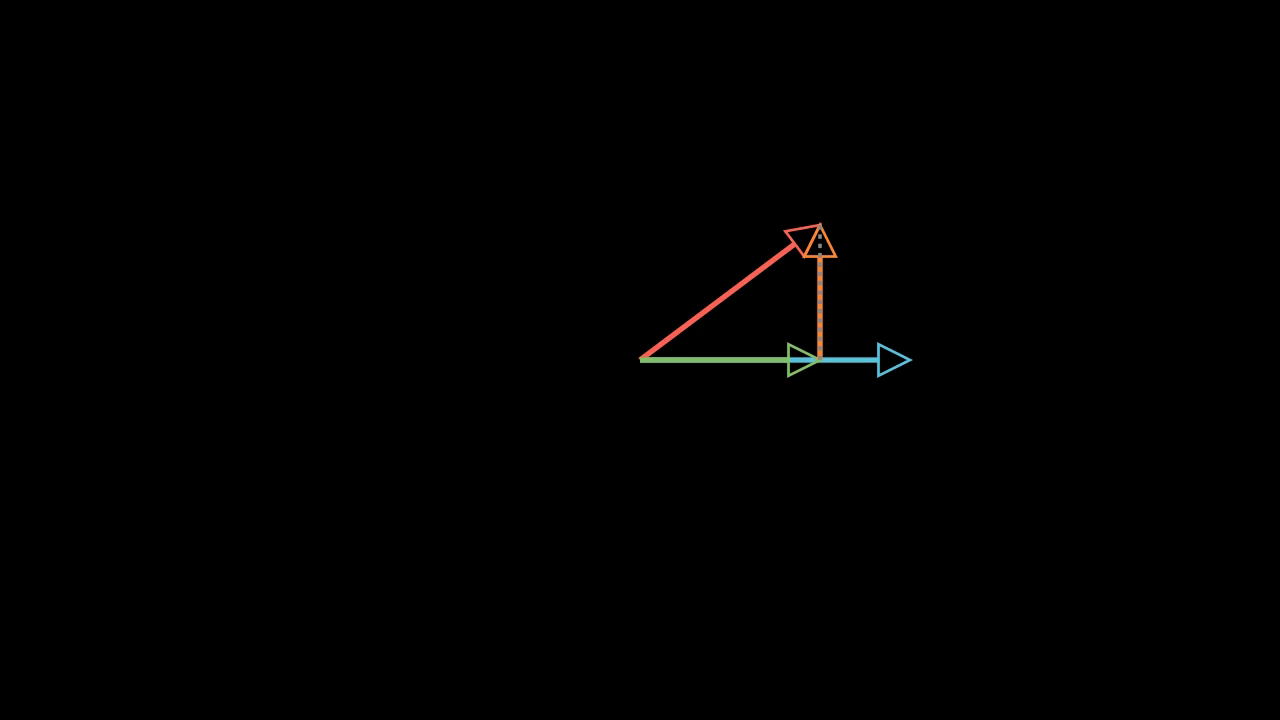
Demo: BasicDecompositionDemo
Preview
Video
Code Example
# Reference vector (horizontal)
vector_b = VectorUtils.create_vector(ORIGIN, RIGHT * 3, color=BLUE)

# Vector to decompose
vector_a = VectorUtils.create_vector(ORIGIN, RIGHT * 2 + UP * 1.5, color=RED)

# Show vectors
self.play(Create(vector_b), Create(vector_a))
self.wait(1)

# Create and show parallel component
parallel = VectorUtils.decompose_parallel(vector_a, vector_b, color=GREEN)
self.play(Create(parallel))
self.wait(0.5)

# Create and show perpendicular component
perp = VectorUtils.decompose_perp(vector_a, vector_b, color=ORANGE)
self.play(Create(perp))
self.wait(0.5)

# Add dashed line to complete triangle
dashed = DashedLine(vector_a.get_end(), parallel.get_end(), color=GRAY)
self.play(Create(dashed))
self.wait(2)
CombinedVectorOperations
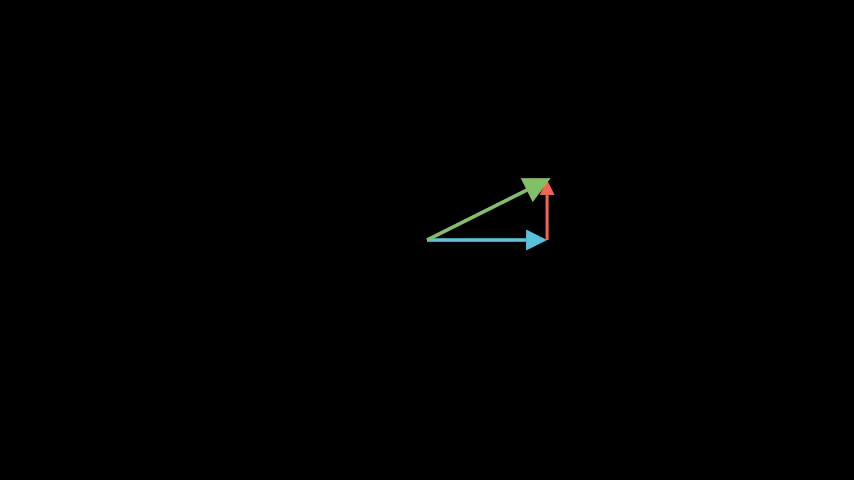
Demo: CombinedVectorOperations
Preview
Video
Code Example
# Vector A
vector_a = VectorUtils.create_vector(ORIGIN, RIGHT * 2, color=BLUE)
self.play(Create(vector_a))
self.wait(0.5)

# Vector B at origin
vector_b = Arrow(ORIGIN, UP * 1.5, color=RED)
self.play(Create(vector_b))
self.wait(0.5)

# Use shift_amount to animate B to A's tip
shift_vector = VectorUtils.shift_amount(vector_a, vector_b)
self.play(vector_b.animate.shift(shift_vector), run_time=1.5)
self.wait()

# Resultant
resultant = Arrow(ORIGIN, vector_b.get_end(), color=GREEN, buff=0)
resultant.set_stroke(width=6)
self.play(Create(resultant), run_time=1.5)
self.wait(2)
DotProductProjectionDemo
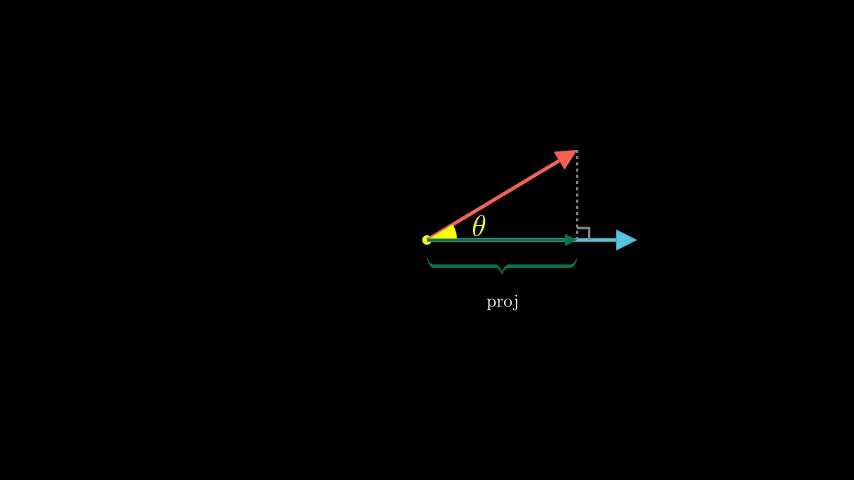
Vector projection with step-by-step visualization
Preview
Video
Code Example
# Define vectors
vector_a = VectorUtils.create_vector(ORIGIN, RIGHT * 3.5, color=BLUE)
vector_b = VectorUtils.create_vector(ORIGIN, RIGHT * 2.5 + UP * 1.5, color=RED)

origin = Dot(ORIGIN, color=YELLOW)

# Show vectors
self.add(origin)
self.play(Create(vector_a), Create(vector_b))
self.wait(1)

# Calculate angle for visualization
vec_a_dir = vector_a.get_end() - vector_a.get_start()
vec_b_dir = vector_b.get_end() - vector_b.get_start()
from manim.utils.space_ops import angle_between_vectors
angle = angle_between_vectors(vec_a_dir, vec_b_dir)

# STEP 1: Show angle sector between vectors
angle_sector = Sector(
    radius=0.5, angle=angle, start_angle=0, color=YELLOW)
angle_label = MathTex(r"\theta", color=YELLOW).move_to(angle_sector.point_from_proportion(0.5) * 1.8)

self.play(FadeIn(angle_sector), Write(angle_label), run_time=1.0)
self.wait(0.5)

# STEP 2: Show projection line using VectorUtils
proj_line = VectorUtils.projection_line(
    vector_b, vector_a,
    color=GRAY
)
proj_line_dashed = DashedLine(
    proj_line.get_start(), proj_line.get_end(),
    color=GRAY, dash_length=0.05
)

self.play(Create(proj_line_dashed), run_time=0.8)
self.wait(0.3)

# STEP 3: Show right angle indicator
proj_point = proj_line.get_start()
right_angle = RightAngle(
    Line(proj_point, vector_a.get_end()),
    Line(proj_point, vector_b.get_end()),
    length=0.2, color=GRAY
)

self.play(Create(right_angle), run_time=0.6)
self.wait(0.3)

# STEP 4: Grow the projection vector using VectorUtils
proj_vector = VectorUtils.project_onto(
    vector_b, vector_a,
    color="#047857", tip_length=0.2, stroke_width=5
)

self.play(Create(proj_vector), run_time=1.0)
self.wait(0.5)

# STEP 5: Show brace and label
brace = Brace(proj_vector, direction=DOWN, color="#047857")
brace_label = brace.get_text("proj").scale(0.6)

self.play(GrowFromCenter(brace), Write(brace_label), run_time=0.8)
self.wait(1)
DynamicParallelogram
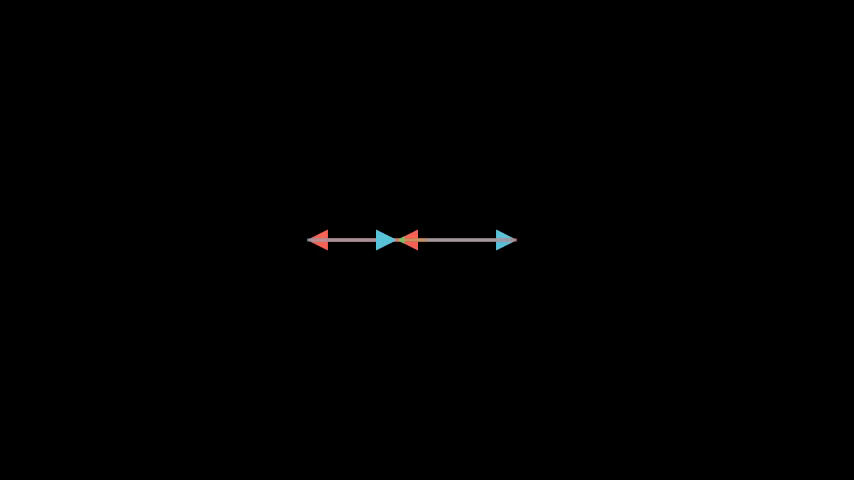
Demo: DynamicParallelogram
Preview
Video
Code Example
# Base vectors
vector_a = VectorUtils.create_vector(ORIGIN, RIGHT * 2.5, color=BLUE)
vector_b = VectorUtils.create_vector(ORIGIN, UP * 2, color=RED)

# Dynamic parallelogram sides
copy_b = always_redraw(
    lambda: VectorUtils.copy_at(vector_b, vector_a.get_end(), color=RED, stroke_opacity=0.5)
)

copy_a = always_redraw(
    lambda: VectorUtils.copy_at(vector_a, vector_b.get_end(), color=BLUE, stroke_opacity=0.5)
)

# Dynamic resultant
resultant = always_redraw(
    lambda: VectorUtils.create_vector(
        ORIGIN,
        vector_a.get_end() + (vector_b.get_end() - vector_b.get_start()),
        color=GREEN, stroke_width=6
    )
)

# Show initial state
self.play(Create(vector_a), Create(vector_b))
self.add(copy_b, copy_a, resultant)
self.wait(1)

# Rotate vector b - parallelogram updates
self.play(
    Rotate(vector_b, angle=PI/2, about_point=ORIGIN),
    run_time=3
)
self.wait(1)

# Scale vector a
self.play(
    vector_a.animate.put_start_and_end_on(ORIGIN, RIGHT * 1.5),
    run_time=2
)
self.wait(1)
DynamicProjection
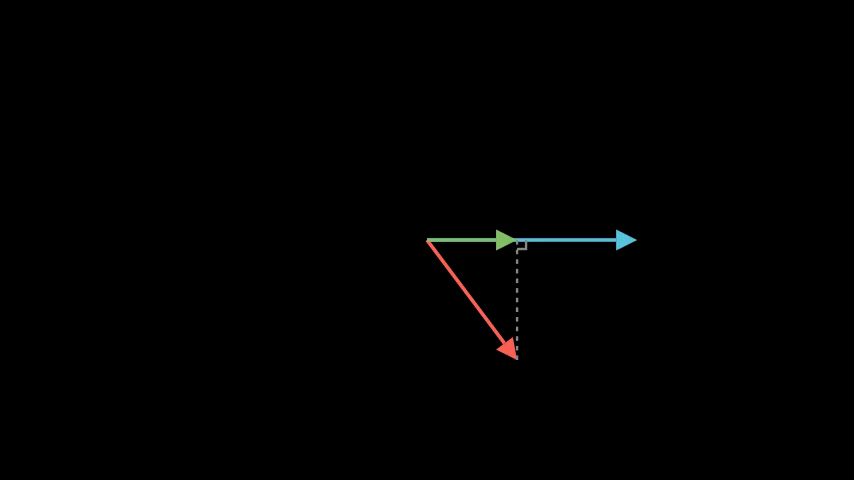
Interactive projection that updates with vector rotation
Preview
Video
Code Example
# Base vectors
vector_a = VectorUtils.create_vector(ORIGIN, RIGHT * 3.5, color=BLUE)
vector_b = VectorUtils.create_vector(ORIGIN, RIGHT * 2 + UP * 1.5, color=RED)

# Dynamic projection using VectorUtils
proj_vector = always_redraw(
    lambda: VectorUtils.project_onto(
        vector_b, vector_a,
        color=GREEN, stroke_width=5
    )
)

proj_line = always_redraw(
    lambda: DashedLine(
        proj_vector.get_end(), vector_b.get_end(),
        color=GRAY, dash_length=0.08
    )
)

# Dynamic right angle
right_angle = always_redraw(
    lambda: RightAngle(
        Line(proj_vector.get_end(), vector_a.get_end()),
        Line(proj_vector.get_end(), vector_b.get_end()),
        length=0.15, color=GRAY
    )
)

# Show initial state
self.play(Create(vector_a), Create(vector_b))
self.add(proj_vector, proj_line, right_angle)
self.wait(1)

# Rotate vector b - projection updates
self.play(
    Rotate(vector_b, angle=PI, about_point=ORIGIN),
    run_time=4,
    rate_func=linear
)
self.wait(1)

# Rotate to perpendicular - projection becomes zero
self.play(
    Rotate(vector_b, angle=PI/2, about_point=ORIGIN),
    run_time=2
)
self.wait(1)
DynamicVectorAddition
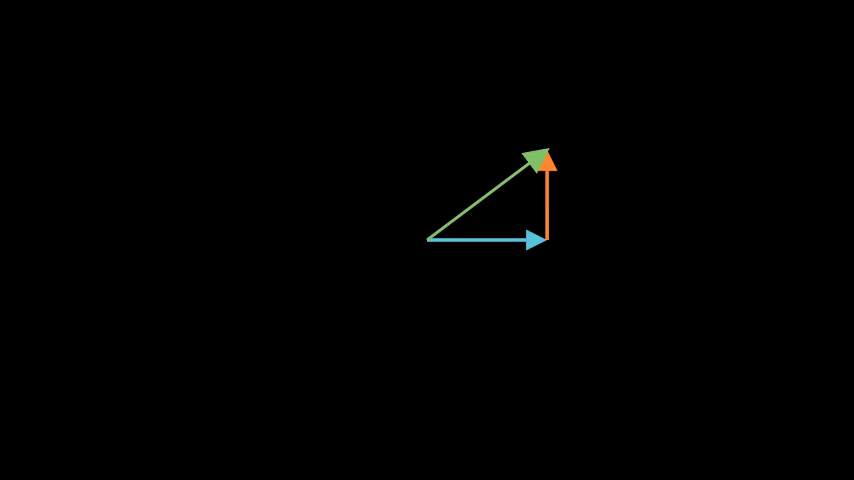
Demo: DynamicVectorAddition
Preview
Video
Code Example
# Moving vectors
vector_a = VectorUtils.create_vector(ORIGIN, RIGHT * 3, color=BLUE)
vector_b = VectorUtils.create_vector(ORIGIN, UP * 2, color=RED)

# Dynamic b at tip of a
b_at_tip = always_redraw(
    lambda: VectorUtils.copy_at(
        vector_b, vector_a.get_end(),
        color="#c2410c", stroke_width=4
    )
)

# Dynamic result
result = always_redraw(
    lambda: VectorUtils.add(
        vector_a, vector_b,
        color=GREEN, stroke_width=6
    )
)

# Dynamic dashed line from origin to tip of a
dashed = always_redraw(
    lambda: DashedLine(
        vector_b.get_end(),
        vector_a.get_end() + (vector_b.get_end() - vector_b.get_start()),
        color=GRAY, dash_length=0.1
    )
)

# Show initial state
self.play(Create(vector_a), Create(vector_b))
self.add(b_at_tip, dashed, result)
self.wait(1)

# Rotate vector b - addition updates
self.play(
    Rotate(vector_b, angle=PI, about_point=ORIGIN),
    run_time=4,
    rate_func=smooth
)
self.wait(1)

# Scale vector a - addition updates
scaled_vector_a = VectorUtils.scalar_multiply(vector_a, 0.5, color=BLUE)
self.play(
    Transform(vector_a, scaled_vector_a),
    run_time=2
)
self.wait(1)
DynamicVectorSubtraction
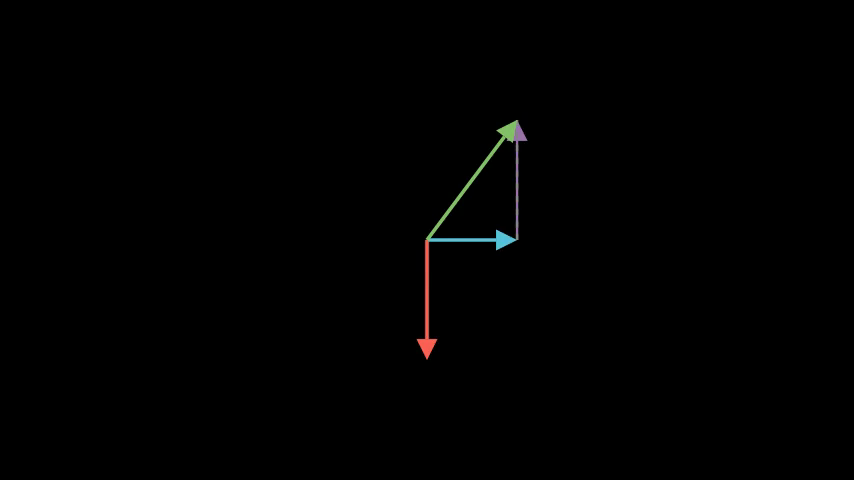
Interactive subtraction that updates as vectors change
Preview
Video
Code Example
# Moving vectors
vector_a = VectorUtils.create_vector(ORIGIN, RIGHT * 3, color=BLUE)
vector_b = VectorUtils.create_vector(ORIGIN, UP * 2, color=RED)

# Dynamic -b at tip of a
neg_b = always_redraw(
    lambda: VectorUtils.reverse_at(
        vector_b, vector_a.get_end(),
        color=PURPLE, stroke_width=4
    )
)

# Dynamic result
result = always_redraw(
    lambda: VectorUtils.subtract(
        vector_a, vector_b,
        color=GREEN, stroke_width=6
    )
)

# Dynamic dashed line
dashed = always_redraw(
    lambda: DashedLine(
        vector_a.get_end() - (vector_b.get_end() - vector_b.get_start()),
        vector_a.get_end(),
        color=GRAY, dash_length=0.1
    )
)

# Show initial state
self.play(Create(vector_a), Create(vector_b))
self.add(neg_b, dashed, result)
self.wait(1)

# Rotate vector b - subtraction updates
self.play(
    Rotate(vector_b, angle=PI, about_point=ORIGIN),
    run_time=4,
    rate_func=smooth
)
self.wait(1)

# Scale vector a - subtraction updates
self.play(
    vector_a.animate.put_start_and_end_on(ORIGIN, RIGHT * 1.5),
    run_time=2
)
self.wait(1)
ForwardVectorDemo
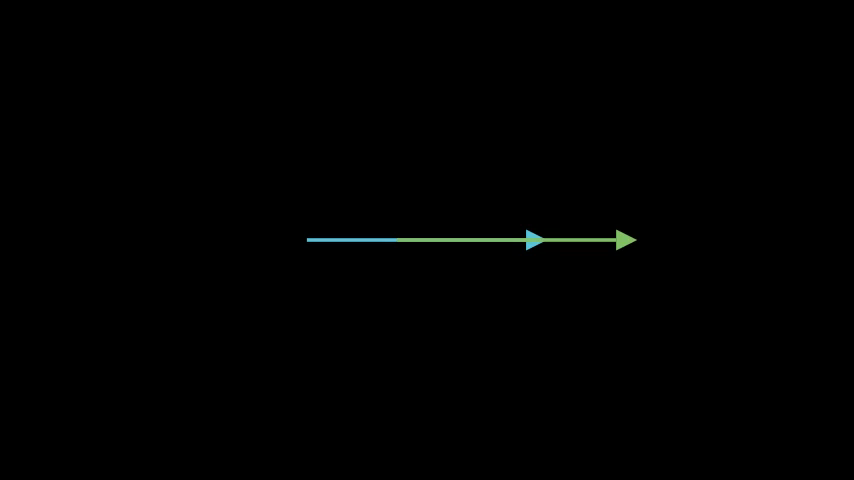
Copy and shift a vector forward
Preview
Video
Code Example
source = VectorUtils.create_vector(LEFT * 2, RIGHT * 2, color=BLUE)
self.play(Create(source))
self.wait()

distance = 1.5
shifted = VectorUtils.forward(source, distance).set_color(GREEN)

self.play(TransformFromCopy(source, shifted), run_time=2)
self.wait(2)
MultipleVectorAddition
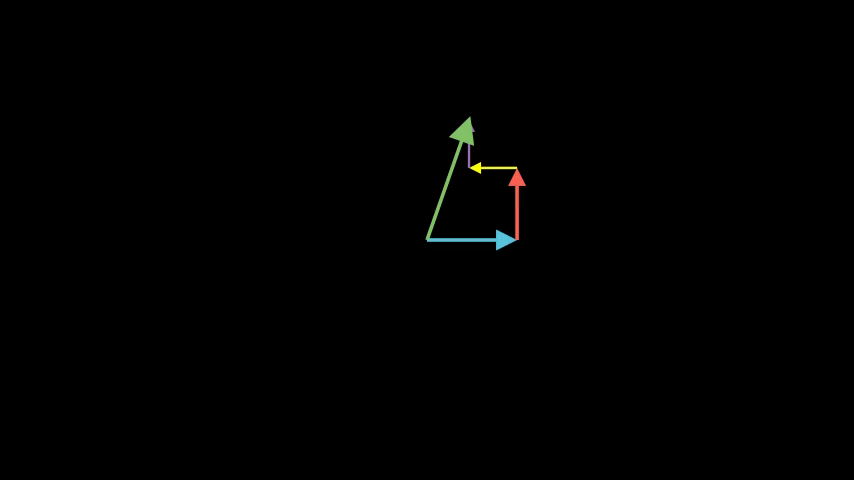
Demo: MultipleVectorAddition
Preview
Video
Code Example
# Code not found for MultipleVectorAdditionParallelogramLawDemo
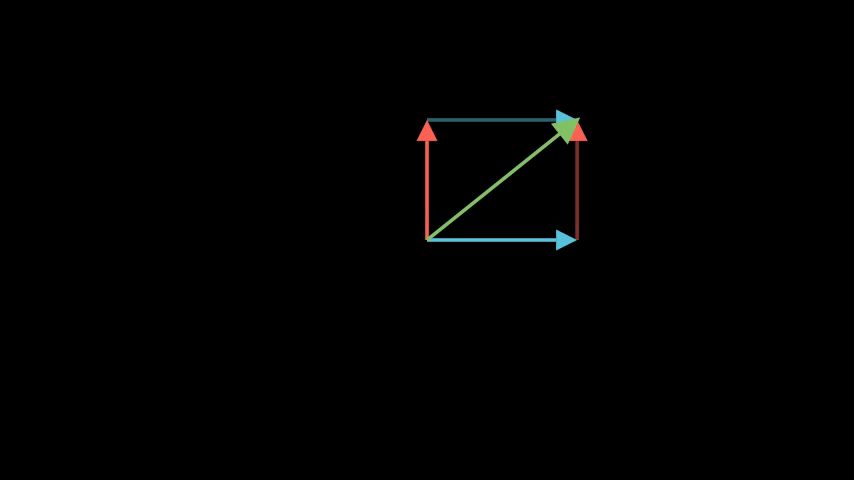
Demo: ParallelogramLawDemo
Preview
Video
Code Example
# Two vectors from origin
vector_a = VectorUtils.create_vector(ORIGIN, RIGHT * 2.5, color=BLUE)
vector_b = VectorUtils.create_vector(ORIGIN, UP * 2, color=RED)

# Show vectors
self.play(Create(vector_a), Create(vector_b))
self.wait(1)

# Complete the parallelogram
copy_b_at_a = VectorUtils.copy_at(vector_b, vector_a.get_end(), color=RED, stroke_opacity=0.5)
copy_a_at_b = VectorUtils.copy_at(vector_a, vector_b.get_end(), color=BLUE, stroke_opacity=0.5)

self.play(Create(copy_b_at_a), Create(copy_a_at_b))
self.wait(1)

# Show resultant (diagonal)
resultant = VectorUtils.create_vector(ORIGIN, copy_b_at_a.get_end(), color=GREEN)
resultant.set_stroke(width=6)

self.play(Create(resultant))
self.wait(2)
PerpMoveDemo
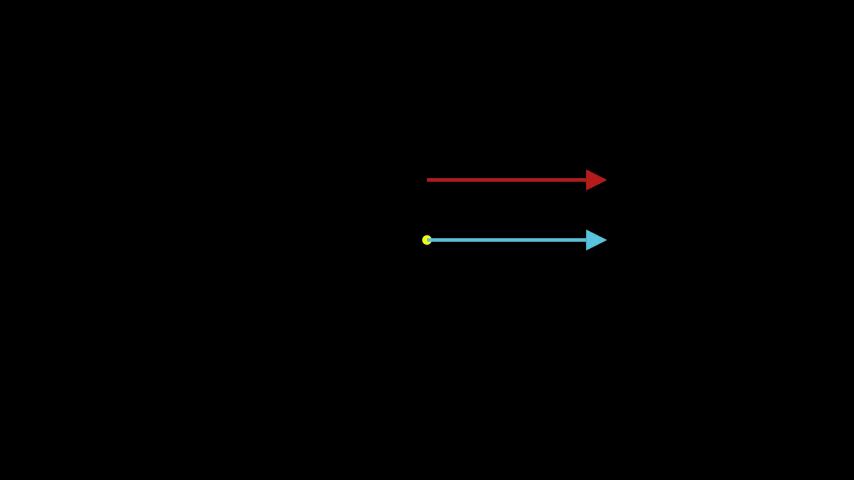
Demo: PerpMoveDemo
Preview
Video
Code Example
# Define vector
vector_a = VectorUtils.create_vector(ORIGIN, RIGHT * 3, color=BLUE)

origin = Dot(ORIGIN, color=YELLOW)

# Show initial vector
self.add(origin)
self.play(Create(vector_a))
self.wait(1)

# Create perpendicular shifted vector using VectorUtils
shifted_vector = VectorUtils.perp_move(vector_a, 1)
shifted_vector.set_color("#b91c1c")

# KEY ANIMATION: Transform from original to shifted
self.play(TransformFromCopy(vector_a, shifted_vector), run_time=1.5)
self.wait(1)
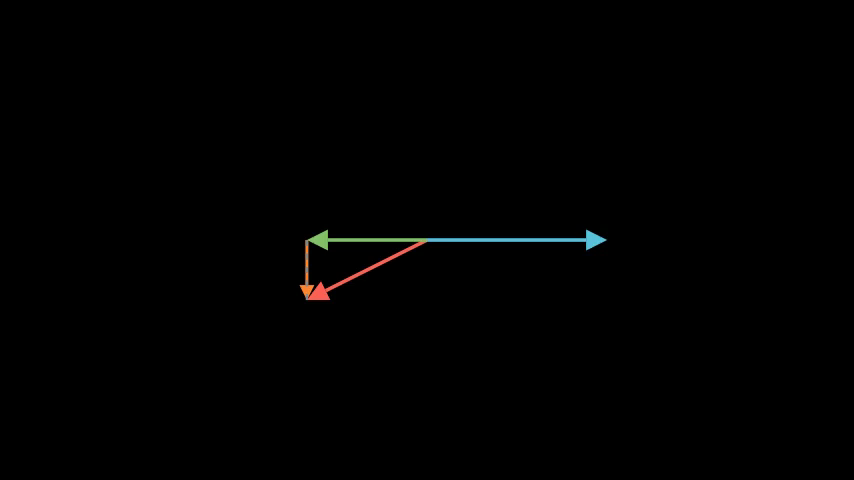
RotatingVectorDecomposition
Decomposition updates as vector rotates
Preview
Video
Code Example
# Fixed reference vector
vector_b = VectorUtils.create_vector(ORIGIN, RIGHT * 3, color=BLUE)

# Rotating vector
vector_a = VectorUtils.create_vector(ORIGIN, RIGHT * 2 + UP * 1, color=RED)

# Dynamic decomposition with always_redraw
parallel = always_redraw(
    lambda: VectorUtils.decompose_parallel(vector_a, vector_b, color=GREEN)
)

perp = always_redraw(
    lambda: VectorUtils.decompose_perp(vector_a, vector_b, color=ORANGE)
)

dashed = always_redraw(
    lambda: DashedLine(vector_a.get_end(), parallel.get_end(), color=GRAY, dash_length=0.1)
)

# Show initial state
self.play(Create(vector_b), Create(vector_a))
self.add(parallel, perp, dashed)
self.wait(1)

# Rotate vector - decomposition updates
self.play(
    Rotate(vector_a, angle=PI, about_point=ORIGIN),
    run_time=4,
    rate_func=linear
)
self.wait(1)
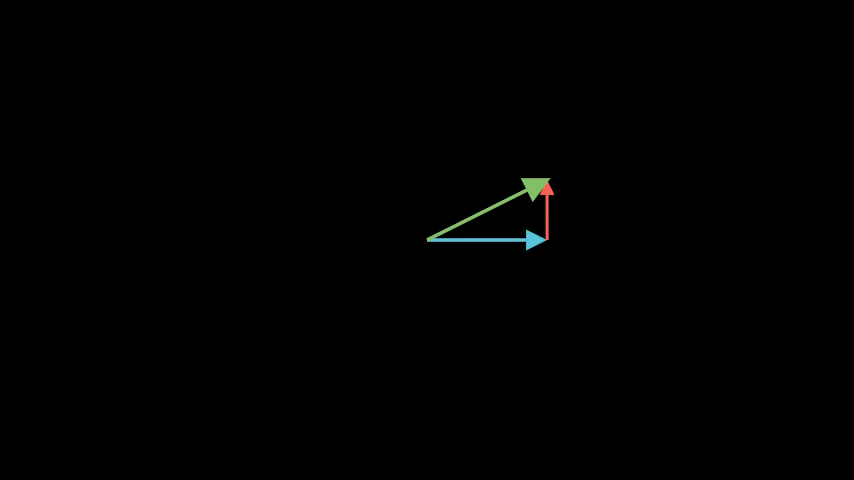
ShiftAmountVectorAddition
Demo: ShiftAmountVectorAddition
Preview
Video
Code Example
# Code not found for ShiftAmountVectorAdditionVectorAdditionDemo
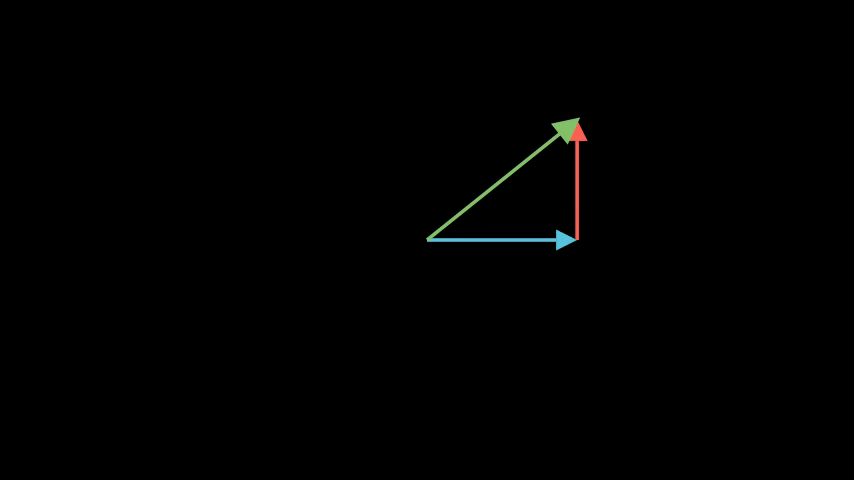
Vector addition using tip-to-tail method
Preview
Video
Code Example
# Define vectors
vector_a = VectorUtils.create_vector(ORIGIN, RIGHT * 3, color=BLUE)
vector_b = VectorUtils.create_vector(ORIGIN, UP * 2, color=RED)

origin = Dot(ORIGIN, color=YELLOW)

# Show initial vectors
self.add(origin)
self.play(Create(vector_a), Create(vector_b))
self.wait(1)

# STEP 1: Create vector B at its original position
vector_b_at_origin = VectorUtils.copy_at(
    vector_b, vector_b.get_start(),
    color="#c2410c", tip_length=0.25
)
self.play(Create(vector_b_at_origin), run_time=1.0)
self.wait(0.3)

# STEP 2: Move vector B to tip of A
# Calculate the shift needed (tail of B should be at tip of A)
shift_vector = VectorUtils.shift_amount(vector_a, vector_b_at_origin)
self.play(vector_b_at_origin.animate.shift(shift_vector), run_time=1.0)
self.wait(0.5)

# STEP 3: Create the result vector
result_vector = VectorUtils.add(
    vector_a, vector_b,
    color="#047857", tip_length=0.3, stroke_width=6
)
self.play(GrowArrow(result_vector), run_time=1.0)
self.wait(1)
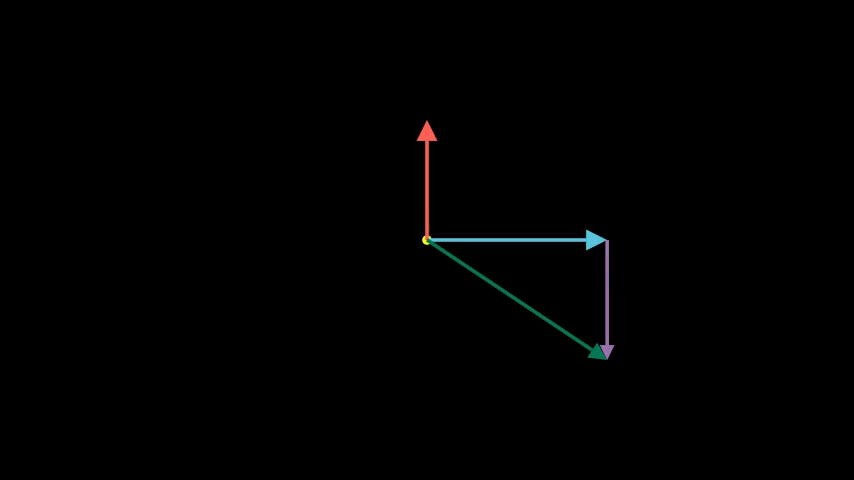
VectorSubtractionDemo
Basic vector subtraction: a - b = a + (-b)
Preview
Video
Code Example
# Define vectors
vector_a = VectorUtils.create_vector(ORIGIN, RIGHT * 3, color=BLUE)
vector_b = VectorUtils.create_vector(ORIGIN, UP * 2, color=RED)

origin = Dot(ORIGIN, color=YELLOW)

# Show initial vectors
self.add(origin)
self.play(Create(vector_a), Create(vector_b))
self.wait(1)

# STEP 1: Reverse vector b at its original position
reversed_b_at_origin = VectorUtils.reverse_at(
    vector_b, vector_b.get_start(),
    color=PURPLE, tip_length=0.25
)
self.play(Create(reversed_b_at_origin), run_time=1.0)
self.wait(0.5)

# STEP 2: Move reversed vector to tip of a
# Calculate the shift needed (tail of reversed_b should be at tip of a)
shift_vector = VectorUtils.shift_amount(vector_a, reversed_b_at_origin)
self.play(reversed_b_at_origin.animate.shift(shift_vector), run_time=1.0)
self.wait(0.5)

# STEP 3: Create the result vector
result_vector = VectorUtils.subtract(
    vector_a, vector_b,
    color="#047857", tip_length=0.3, stroke_width=6
)
self.play(GrowArrow(result_vector), run_time=1.0)
self.wait(1)