AnimatedLabelColors
Demo: AnimatedLabelColors
Preview
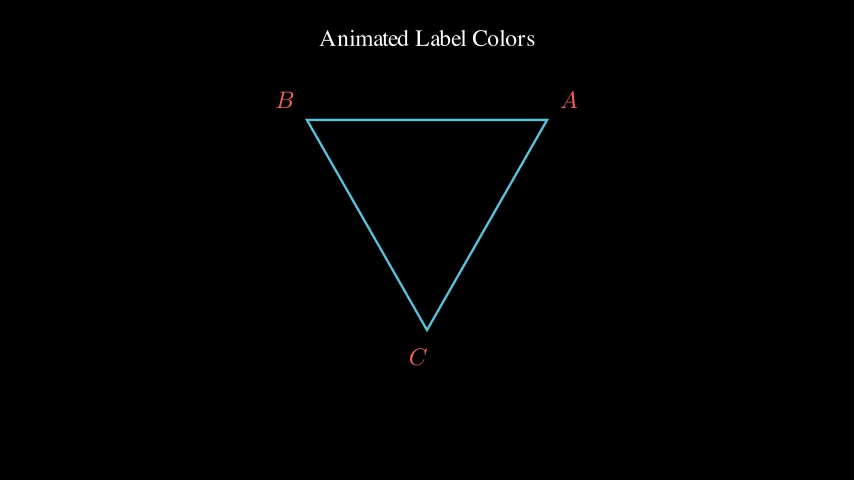
Video
Code Example
# Create a triangle
triangle = Polygon(
    [-2, -1.5, 0],
    [2, -1.5, 0],
    [0, 2, 0],
    color=BLUE
)

# Vertex labels with dynamic colors
vertex_label_objects = VGroup()

# ValueTracker to control color animation
color_tracker = ValueTracker(0)
DynamicEdgeLabelsExample
Edge labels on transforming square
Preview
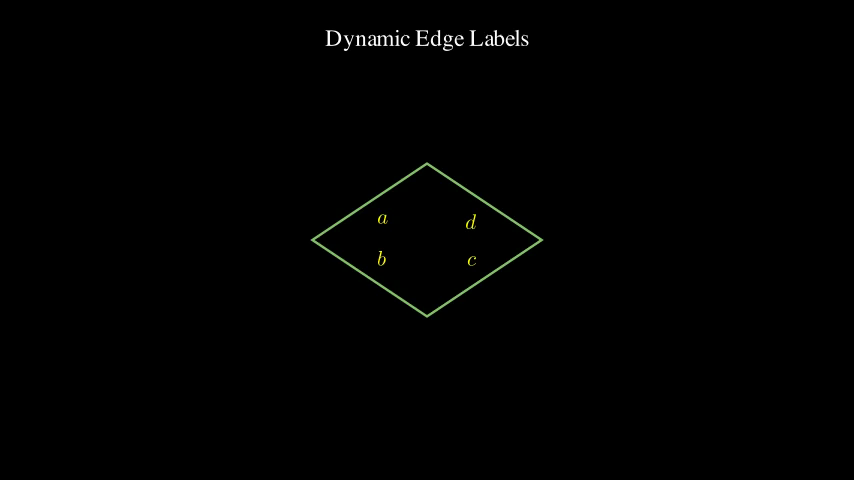
Video
Code Example
# Create a square
square = Square(side_length=3, color=GREEN)

# Create edge labels using always_redraw
labels = always_redraw(
    lambda: VGroup(*edge_labels(
        square,
        labels=["a", "b", "c", "d"],
        scale=0.7,
        color=YELLOW,
        buff=0.25
    ))
)

title = Text("Dynamic Edge Labels", font_size=28).to_edge(UP)

# Show initial setup
self.add(title)
self.play(Create(square))
self.play(FadeIn(labels))
self.wait()

# Rotate the square - labels stay perpendicular to edges!
self.play(
    Rotate(square, angle=PI/4, about_point=ORIGIN),
    run_time=3
)
self.wait()

# Scale the square
self.play(
    square.animate.scale(0.6),
    run_time=2
)
self.wait()

# Stretch horizontally
self.play(
    square.animate.stretch(1.5, dim=0),
    run_time=2
)
self.wait()
DynamicVertexAndEdgeLabels
Both vertex and edge labels together
Preview
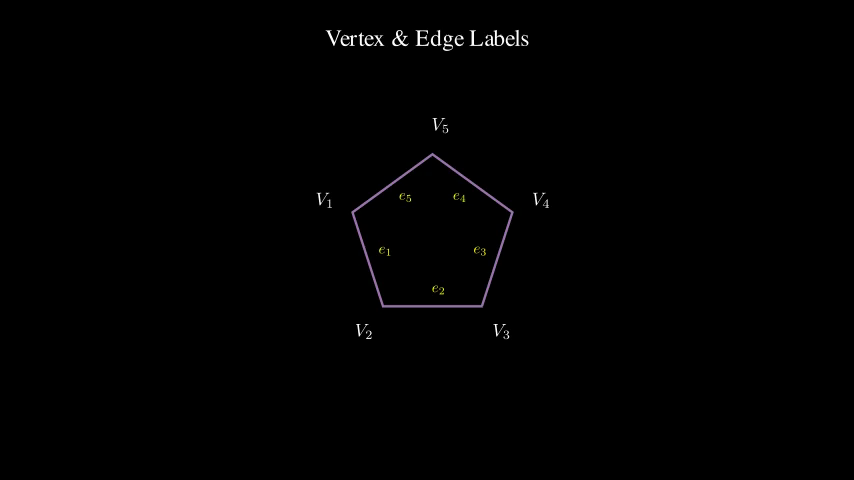
Video
Code Example
# Create a pentagon
pentagon = RegularPolygon(n=5, color=PURPLE).scale(2)

# Create both vertex and edge labels with always_redraw
vertex_label_objects = always_redraw(
    lambda: VGroup(*vertex_labels(
        pentagon,
        labels=["V_1", "V_2", "V_3", "V_4", "V_5"],
        scale=0.6,
        color=WHITE,
        buff=0.35
    ))
)

edge_label_objects = always_redraw(
    lambda: VGroup(*edge_labels(
        pentagon,
        labels=["e_1", "e_2", "e_3", "e_4", "e_5"],
        scale=0.5,
        color=YELLOW,
        buff=0.2
    ))
)

title = Text("Vertex & Edge Labels", font_size=28).to_edge(UP)

# Show construction
self.add(title)
self.play(Create(pentagon))
self.play(FadeIn(vertex_label_objects))
self.play(FadeIn(edge_label_objects))
self.wait()

# Rotate continuously
self.play(
    Rotate(pentagon, angle=2*PI/5, about_point=ORIGIN),
    run_time=3
)
self.wait()

# Scale down
self.play(
    pentagon.animate.scale(0.7),
    run_time=2
)
self.wait()
DynamicVertexLabelsExample
Vertex labels following transforming triangle
Preview
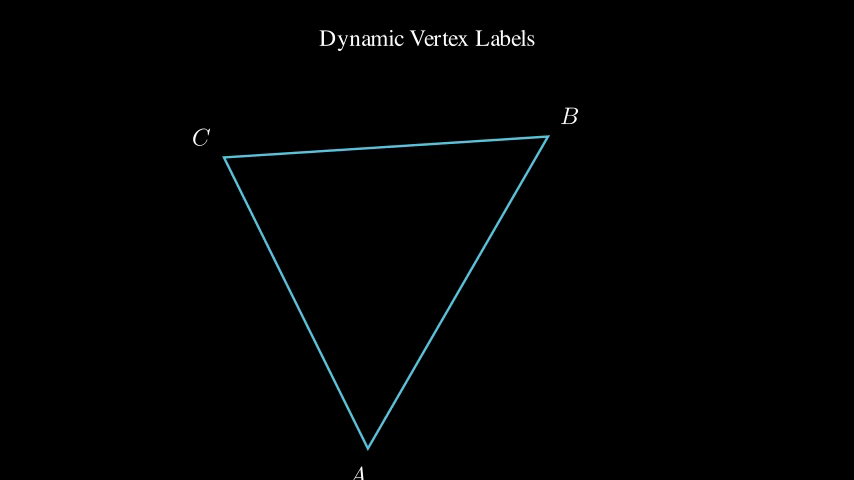
Video
Code Example
# Create a triangle
triangle = Polygon(
    [-2, -1, 0],
    [2, -1, 0],
    [0, 2, 0],
    color=BLUE
)

# Create vertex labels using always_redraw
# This automatically recreates labels whenever the polygon changes
labels = always_redraw(
    lambda: VGroup(*vertex_labels(
        triangle,
        labels=["A", "B", "C"],
        scale=0.8,
        color=WHITE,
        buff=0.3
    ))
)

title = Text("Dynamic Vertex Labels", font_size=28).to_edge(UP)

# Show initial setup
self.add(title)
self.play(Create(triangle))
self.play(FadeIn(labels))
self.wait()

# Scale the triangle - labels follow the vertices!
self.play(
    triangle.animate.scale(1.5),
    run_time=2
)
self.wait()

# Rotate the triangle
self.play(
    Rotate(triangle, angle=PI/3, about_point=ORIGIN),
    run_time=2
)
self.wait()

# Shift the triangle
self.play(
    triangle.animate.shift(LEFT),
    run_time=2
)
self.wait()
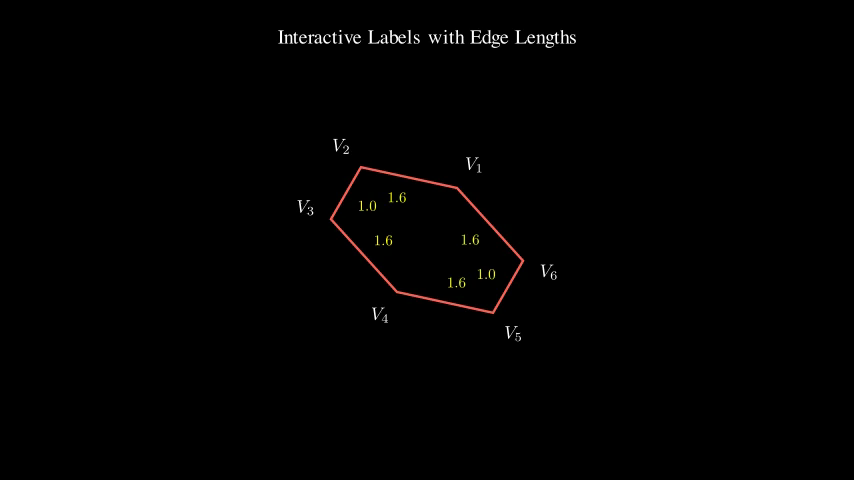
InteractivePolygonWithUpdater
Real-time edge length calculation
Preview
Video
Code Example
# Create a hexagon
hexagon = RegularPolygon(n=6, color=RED).scale(2)

# Create vertex labels with custom updater
vertex_label_group = VGroup()
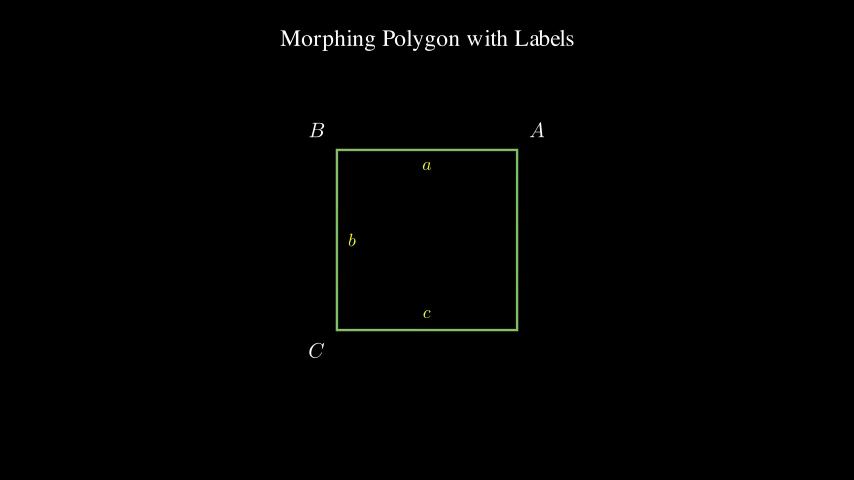
MorphingPolygonLabels
Labels adapt to morphing polygons
Preview
Video
Code Example
# Start with a triangle
triangle = Polygon(
    [-2, -1.5, 0],
    [2, -1.5, 0],
    [0, 2, 0],
    color=BLUE
)

# Target square
square = Square(side_length=3, color=GREEN)

# Labels for triangle (3 vertices and edges)
vertex_label_objects = always_redraw(
    lambda: VGroup(*vertex_labels(
        triangle,
        labels=["A", "B", "C"][:len(triangle.get_vertices())],
        scale=0.7,
        color=WHITE,
        buff=0.3
    ))
)

edge_label_objects = always_redraw(
    lambda: VGroup(*edge_labels(
        triangle,
        labels=["a", "b", "c"][:len(triangle.get_vertices())],
        scale=0.6,
        color=YELLOW,
        buff=0.2
    ))
)

title = Text("Morphing Polygon with Labels", font_size=28).to_edge(UP)

# Show triangle
self.add(title)
self.play(Create(triangle))
self.add(vertex_label_objects, edge_label_objects)
self.wait()

# Rotate the triangle
self.play(
    Rotate(triangle, angle=PI/6),
    run_time=2
)
self.wait()

# Transform to square
self.play(
    Transform(triangle, square),
    run_time=3
)
self.wait(2)
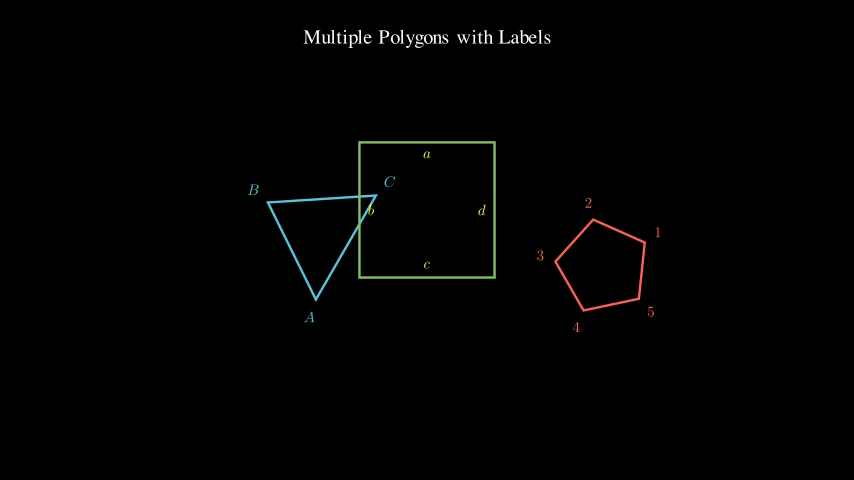
MultiplePolygonsWithLabels
Demo: MultiplePolygonsWithLabels
Preview
Video
Code Example
# Create three polygons
triangle = Polygon(
    [-3, 0, 0],
    [-2, 1.5, 0],
    [-1, 0, 0],
    color=BLUE
)

square = Square(side_length=1.5, color=GREEN).shift(ORIGIN)

pentagon = RegularPolygon(n=5, color=RED).scale(0.8).shift(RIGHT * 3)

# Create labels for each polygon
triangle_labels = always_redraw(
    lambda: VGroup(*vertex_labels(
        triangle,
        labels=["A", "B", "C"],
        scale=0.5,
        color=BLUE,
        buff=0.2
    ))
)

square_labels = always_redraw(
    lambda: VGroup(*edge_labels(
        square,
        labels=["a", "b", "c", "d"],
        scale=0.5,
        color=YELLOW,
        buff=0.15
    ))
)

pentagon_labels = always_redraw(
    lambda: VGroup(*vertex_labels(
        pentagon,
        labels=["1", "2", "3", "4", "5"],
        scale=0.5,
        color=RED,
        buff=0.2
    ))
)

title = Text("Multiple Polygons with Labels", font_size=24).to_edge(UP)

# Show all polygons
self.add(title)
self.play(
    Create(triangle),
    Create(square),
    Create(pentagon)
)
self.add(triangle_labels, square_labels, pentagon_labels)
self.wait()

# Animate all polygons independently
self.play(
    Rotate(triangle, angle=PI/3),
    square.animate.scale(1.5),
    Rotate(pentagon, angle=-PI/3),
    run_time=3
)
self.wait()

# Move them around
self.play(
    triangle.animate.shift(DOWN * 0.5),
    square.animate.shift(UP * 0.5),
    pentagon.animate.shift(DOWN * 0.5),
    run_time=2
)
self.wait()