BasicDistanceMarker
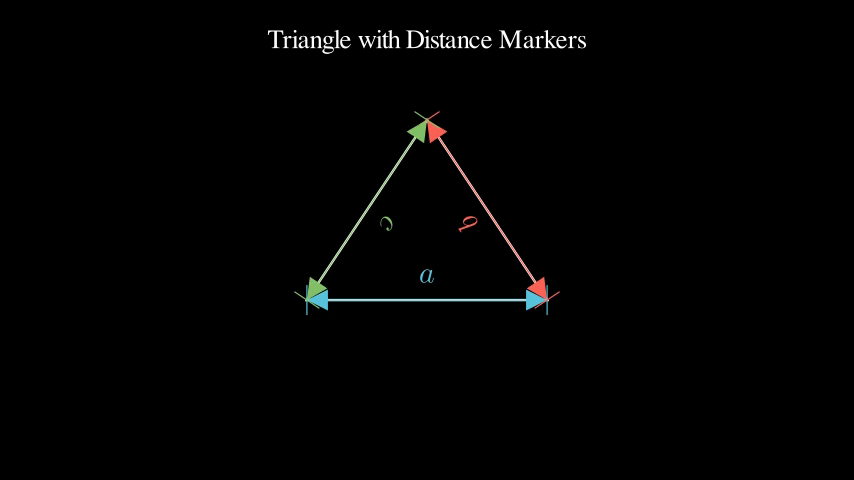
Triangle with distance markers
Preview
Video
Code Example
# Create a triangle
triangle = Polygon(
    [-2, -1, 0],
    [2, -1, 0],
    [0, 2, 0],
    color=WHITE
)

# Add distance markers on each side
marker_a = distance_marker(
    [-2, -1, 0],
    [2, -1, 0],
    label_text="a",
    color=BLUE,
    label_offset=0.4
)

marker_b = distance_marker(
    [2, -1, 0],
    [0, 2, 0],
    label_text="b",
    color=RED,
    label_offset=0.4
)

marker_c = distance_marker(
    [0, 2, 0],
    [-2, -1, 0],
    label_text="c",
    color=GREEN,
    label_offset=0.4
)

title = Text("Triangle with Distance Markers", font_size=32).to_edge(UP)

# Animate
self.add(title)
self.play(Create(triangle))
self.wait(0.5)
self.play(Create(marker_a))
self.wait(0.3)
self.play(Create(marker_b))
self.wait(0.3)
self.play(Create(marker_c))
self.wait(2)
BasicLabelDemo
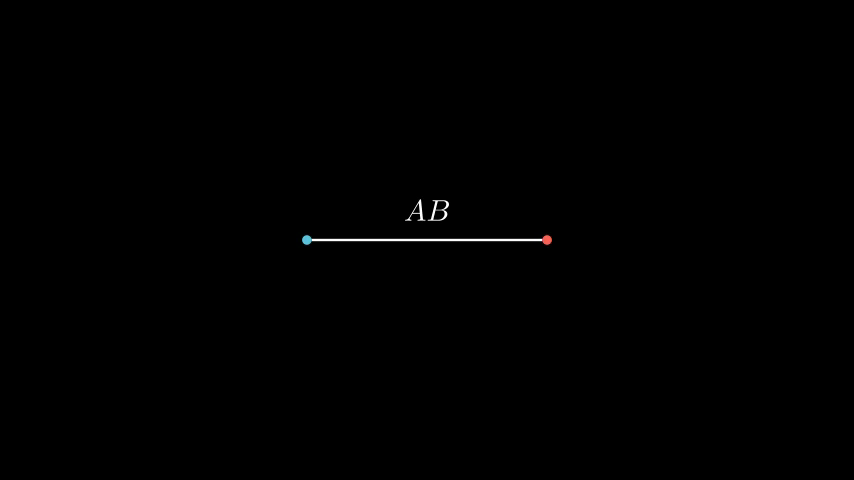
Simple label between two points
Preview
Video
Code Example
# Two dots
dot_a = Dot([-2, 0, 0], color=BLUE)
dot_b = Dot([2, 0, 0], color=RED)

# Line connecting them
line = Line(dot_a, dot_b, color=WHITE)

# Label positioned above the line
ab_label = label("AB", dot_a, dot_b, buff=0.5)

self.play(FadeIn(dot_a), FadeIn(dot_b))
self.play(Create(line))
self.play(FadeIn(ab_label))
self.wait(2)
DiagonalHatchDemo
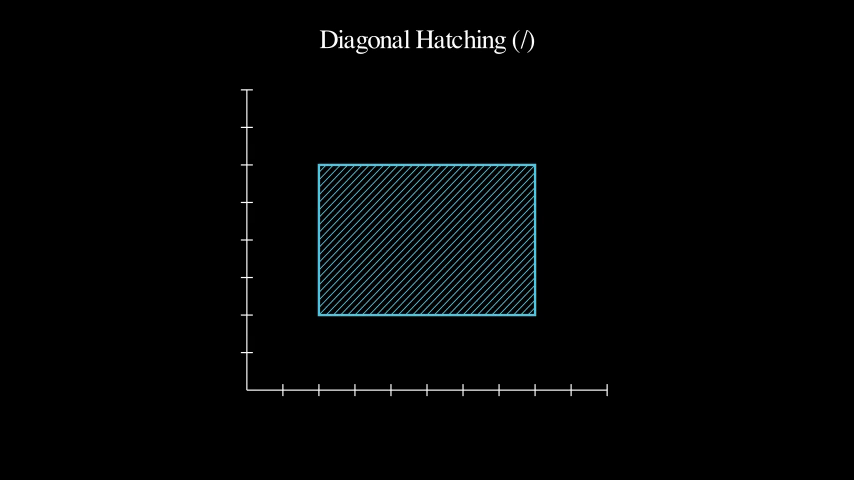
Diagonal hatching pattern on a rectangle
Preview
Video
Code Example
# Create axes
axes = Axes(
    x_range=[0, 10, 1],
    y_range=[0, 8, 1],
    x_length=6,
    y_length=5,
    axis_config={"include_tip": False}
)

# Define rectangle vertices
vertices = [(2, 2), (8, 2), (8, 6), (2, 6)]

# Create hatched region with diagonal lines
hatched, boundary = hatched_region(
    axes, vertices,
    spacing=0.2,
    direction="/",
    color=BLUE,
    stroke_width=1.5
)

title = Text("Diagonal Hatching (/)", font_size=32).to_edge(UP)

# Animate
self.add(axes, title)
self.play(Create(boundary))
self.wait(0.5)
self.play(Create(hatched))
self.wait(2)
DistanceMarkerCustomization
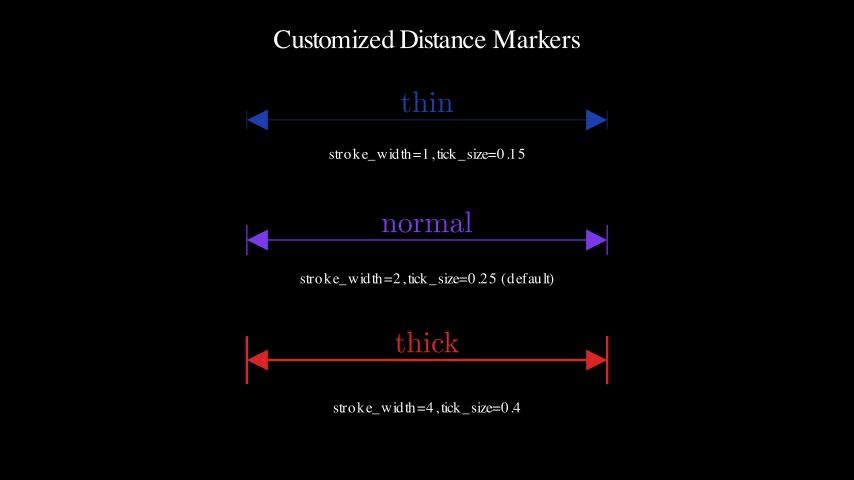
Demo: DistanceMarkerCustomization
Preview
Video
Code Example
title = Text("Customized Distance Markers", font_size=32).to_edge(UP)

# Thin marker
thin_marker = distance_marker(
    [-3, 2, 0],
    [3, 2, 0],
    label_text=r"\text{thin}",
    color="#1e40af",
    stroke_width=1,
    tick_size=0.15,
    label_offset=0.3
)
thin_label = Text("stroke_width=1, tick_size=0.15", font_size=18).next_to(thin_marker, DOWN, buff=0.3)

# Normal marker
normal_marker = distance_marker(
    [-3, 0, 0],
    [3, 0, 0],
    label_text=r"\text{normal}",
    color="#7c3aed",
    stroke_width=2,
    tick_size=0.25,
    label_offset=0.3
)
normal_label = Text("stroke_width=2, tick_size=0.25 (default)", font_size=18).next_to(normal_marker, DOWN, buff=0.3)

# Thick marker
thick_marker = distance_marker(
    [-3, -2, 0],
    [3, -2, 0],
    label_text=r"\text{thick}",
    color="#dc2626",
    stroke_width=4,
    tick_size=0.4,
    label_offset=0.3
)
thick_label = Text("stroke_width=4, tick_size=0.4", font_size=18).next_to(thick_marker, DOWN, buff=0.3)

self.add(title)
self.play(
    LaggedStart(
        AnimationGroup(Create(thin_marker), Write(thin_label)),
        AnimationGroup(Create(normal_marker), Write(normal_label)),
        AnimationGroup(Create(thick_marker), Write(thick_label)),
        lag_ratio=0.5
    )
)
self.wait(2)
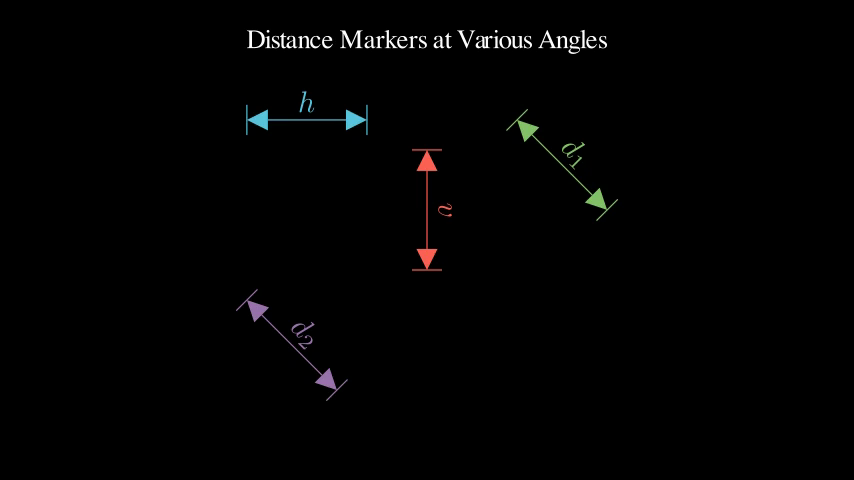
DistanceMarkerOrientations
Demo: DistanceMarkerOrientations
Preview
Video
Code Example
title = Text("Distance Markers at Various Angles", font_size=32).to_edge(UP)

# Horizontal
h_marker = distance_marker(
    [-3, 2, 0],
    [-1, 2, 0],
    label_text="h",
    color=BLUE,
    label_offset=0.3
)

# Vertical
v_marker = distance_marker(
    [0, 1.5, 0],
    [0, -0.5, 0],
    label_text="v",
    color=RED,
    label_offset=0.3
)

# Diagonal (45 degrees)
d1_marker = distance_marker(
    [1.5, 2, 0],
    [3, 0.5, 0],
    label_text="d_1",
    color=GREEN,
    label_offset=0.3
)

# Diagonal (negative slope)
d2_marker = distance_marker(
    [-3, -1, 0],
    [-1.5, -2.5, 0],
    label_text="d_2",
    color=PURPLE,
    label_offset=0.3
)

self.add(title)
self.play(
    LaggedStart(
        Create(h_marker),
        Create(v_marker),
        Create(d1_marker),
        Create(d2_marker),
        lag_ratio=0.3
    )
)
self.wait(2)
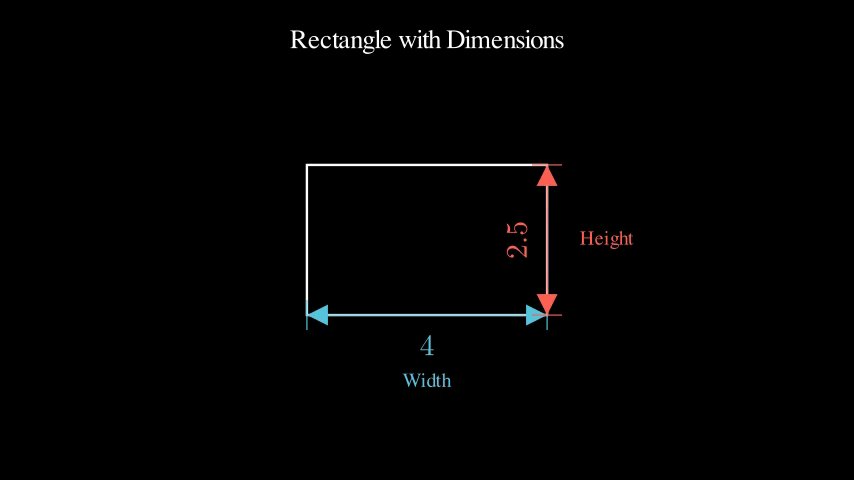
DistanceMarkerRectangle
Annotating rectangle dimensions
Preview
Video
Code Example
# Create rectangle
rect = Rectangle(width=4, height=2.5, color=WHITE)

# Get corners
corners = rect.get_vertices()
# corners: [top_right, top_left, bottom_left, bottom_right]

top_right = corners[0]
top_left = corners[1]
bottom_left = corners[2]
bottom_right = corners[3]

# Width marker (bottom)
width_marker = distance_marker(
    bottom_left,
    bottom_right,
    label_text="4",
    color=BLUE,
    label_offset=-0.5
)

# Height marker (right)
height_marker = distance_marker(
    bottom_right,
    top_right,
    label_text="2.5",
    color=RED,
    label_offset=0.5
)

# Title and labels
title = Text("Rectangle with Dimensions", font_size=32).to_edge(UP)
width_label = Text("Width", font_size=24, color=BLUE).next_to(width_marker, DOWN, buff=0.3)
height_label = Text("Height", font_size=24, color=RED).next_to(height_marker, RIGHT, buff=0.3)

# Animate
self.add(title)
self.play(Create(rect))
self.wait(0.5)
self.play(
    Create(width_marker),
    Write(width_label)
)
self.wait(0.5)
self.play(
    Create(height_marker),
    Write(height_label)
)
self.wait(2)
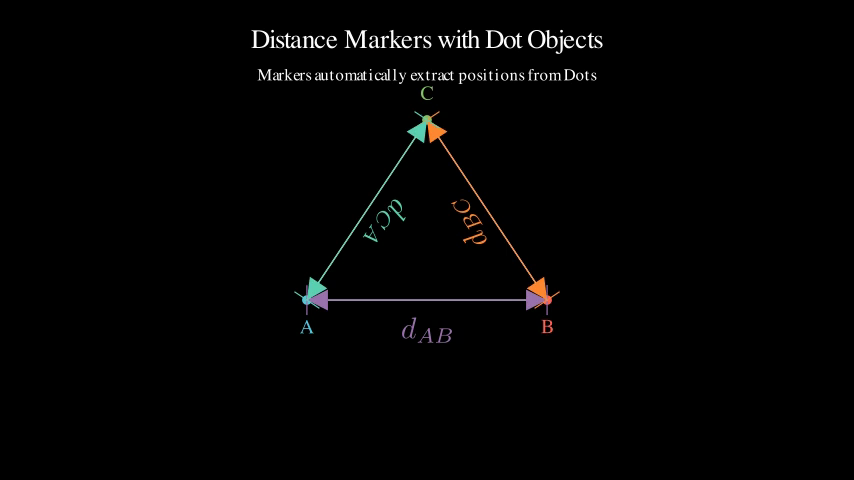
DistanceMarkerWithDots
Using Dot objects with markers
Preview
Video
Code Example
title = Text("Distance Markers with Dot Objects", font_size=32).to_edge(UP)
subtitle = Text("Markers automatically extract positions from Dots", font_size=20).next_to(title, DOWN)

# Create Dot objects at different positions
dot_a = Dot([- 2, -1, 0], color=BLUE, radius=0.08)
dot_b = Dot([2, -1, 0], color=RED, radius=0.08)
dot_c = Dot([0, 2, 0], color=GREEN, radius=0.08)

# Labels for dots
label_a = Text("A", font_size=24, color=BLUE).next_to(dot_a, DOWN)
label_b = Text("B", font_size=24, color=RED).next_to(dot_b, DOWN)
label_c = Text("C", font_size=24, color=GREEN).next_to(dot_c, UP)

# Create triangle connecting dots
triangle = Polygon(
    dot_a.get_center(),
    dot_b.get_center(),
    dot_c.get_center(),
    color=WHITE,
    stroke_width=2
)

# Create distance markers using Dot objects directly
marker_ab = distance_marker(
    dot_a, dot_b,
    label_text="d_{AB}",
    color=PURPLE,
    label_offset=-0.5
)

marker_bc = distance_marker(
    dot_b, dot_c,
    label_text="d_{BC}",
    color=ORANGE,
    label_offset=0.4
)

marker_ca = distance_marker(
    dot_c, dot_a,
    label_text="d_{CA}",
    color=TEAL,
    label_offset=0.4
)

# Animate
self.add(title, subtitle)
self.wait(0.5)

# Show dots
self.play(
    LaggedStart(
        FadeIn(dot_a),
        FadeIn(dot_b),
        FadeIn(dot_c),
        lag_ratio=0.2
    )
)
self.play(
    Write(label_a),
    Write(label_b),
    Write(label_c)
)
self.wait(0.5)

# Draw triangle
self.play(Create(triangle))
self.wait(0.5)

# Add distance markers
self.play(Create(marker_ab))
self.wait(0.3)
self.play(Create(marker_bc))
self.wait(0.3)
self.play(Create(marker_ca))
self.wait(2)
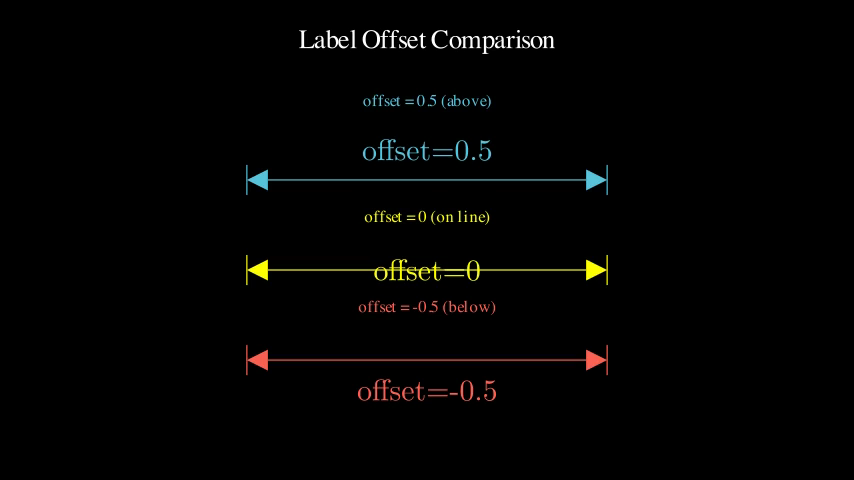
LabelOffsetComparison
Demo: LabelOffsetComparison
Preview
Video
Code Example
title = Text("Label Offset Comparison", font_size=32).to_edge(UP)

# Horizontal line with different offsets
line_y = 1

# Positive offset (above)
marker_pos = distance_marker(
    [-3, line_y, 0],
    [3, line_y, 0],
    label_text=r"\text{offset=0.5}",
    color=BLUE,
    label_offset=0.5
)
label_pos = Text("offset = 0.5 (above)", font_size=20, color=BLUE).next_to(marker_pos, UP, buff=0.5)

# Zero offset (on line)
line_y = -0.5
marker_zero = distance_marker(
    [-3, line_y, 0],
    [3, line_y, 0],
    label_text=r"\text{offset=0}",
    color=YELLOW,
    label_offset=0
)
label_zero = Text("offset = 0 (on line)", font_size=20, color=YELLOW).next_to(marker_zero, UP, buff=0.5)

# Negative offset (below)
line_y = -2
marker_neg = distance_marker(
    [-3, line_y, 0],
    [3, line_y, 0],
    label_text=r"\text{offset=-0.5}",
    color=RED,
    label_offset=-0.5
)
label_neg = Text("offset = -0.5 (below)", font_size=20, color=RED).next_to(marker_neg, UP, buff=0.5)

self.add(title)
self.play(
    Create(marker_pos),
    Write(label_pos)
)
self.wait(1)
self.play(
    Create(marker_zero),
    Write(label_zero)
)
self.wait(1)
self.play(
    Create(marker_neg),
    Write(label_neg)
)
self.wait(2)
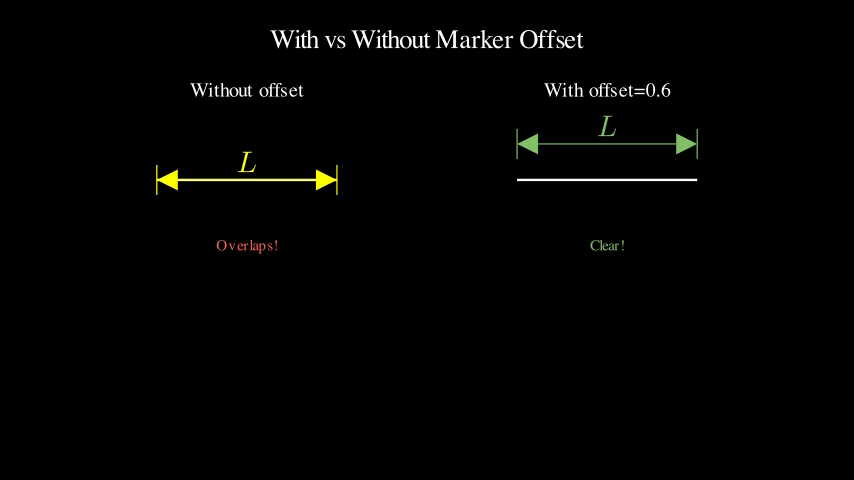
MarkerOffsetComparison
Demo: MarkerOffsetComparison
Preview
Video
Code Example
title = Text("With vs Without Marker Offset", font_size=32).to_edge(UP)

# Left side - without offset (overlaps)
left_title = Text("Without offset", font_size=24).move_to([-3, 2.5, 0])
left_line = Line([-4.5, 1, 0], [-1.5, 1, 0], color=WHITE, stroke_width=4)
left_marker = distance_marker(
    [-4.5, 1, 0],
    [-1.5, 1, 0],
    label_text="L",
    color=YELLOW,
    marker_offset=0
)
left_annotation = Text("Overlaps!", font_size=18, color=RED).next_to(left_line, DOWN, buff=1)

# Right side - with offset (clear)
right_title = Text("With offset=0.6", font_size=24).move_to([3, 2.5, 0])
right_line = Line([1.5, 1, 0], [4.5, 1, 0], color=WHITE, stroke_width=4)
right_marker = distance_marker(
    [1.5, 1, 0],
    [4.5, 1, 0],
    label_text="L",
    color=GREEN,
    marker_offset=0.6,
    label_offset=0.3
)
right_annotation = Text("Clear!", font_size=18, color=GREEN).next_to(right_line, DOWN, buff=1)

# Animate
self.add(title)

# Left side
self.play(Write(left_title))
self.play(Create(left_line))
self.wait(0.3)
self.play(Create(left_marker))
self.play(Write(left_annotation))
self.wait(1)

# Right side
self.play(Write(right_title))
self.play(Create(right_line))
self.wait(0.3)
self.play(Create(right_marker))
self.play(Write(right_annotation))
self.wait(2)
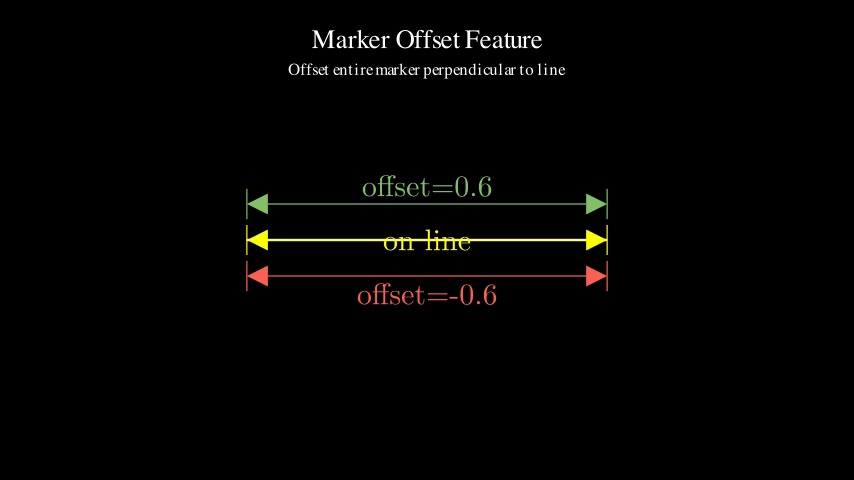
MarkerOffsetExample
Demo: MarkerOffsetExample
Preview
Video
Code Example
title = Text("Marker Offset Feature", font_size=32).to_edge(UP)
subtitle = Text("Offset entire marker perpendicular to line", font_size=20).next_to(title, DOWN)

# Create a line segment
line = Line([-3, 0, 0], [3, 0, 0], color=WHITE, stroke_width=4)

# Markers at different offsets
# On the line (marker_offset=0)
marker_on = distance_marker(
    [-3, 0, 0],
    [3, 0, 0],
    label_text=r"\text{on line}",
    color=YELLOW,
    marker_offset=0,
    label_offset=0
)

# Above the line (marker_offset=0.6)
marker_above = distance_marker(
    [-3, 0, 0],
    [3, 0, 0],
    label_text=r"\text{offset=0.6}",
    color=GREEN,
    marker_offset=0.6,
    label_offset=0.3
)

# Below the line (marker_offset=-0.6)
marker_below = distance_marker(
    [-3, 0, 0],
    [3, 0, 0],
    label_text=r"\text{offset=-0.6}",
    color=RED,
    marker_offset=-0.6,
    label_offset=-0.3
)

# Show scene
self.add(title, subtitle)
self.wait(0.5)

# Draw the line first
self.play(Create(line))
self.wait(0.5)

# Show marker on the line (overlaps!)
self.play(Create(marker_on))
self.wait(1)

# Show offset markers that don't overlap
self.play(Create(marker_above))
self.wait(0.5)
self.play(Create(marker_below))
self.wait(2)
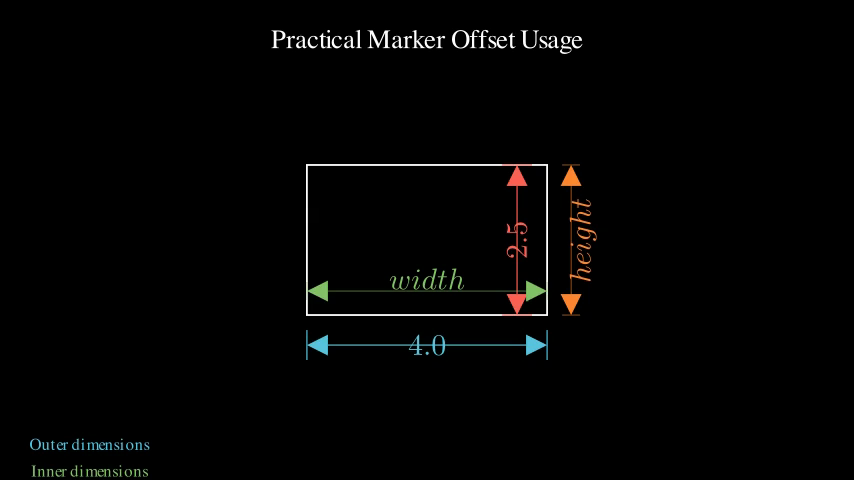
MarkerOffsetPractical
Demo: MarkerOffsetPractical
Preview
Video
Code Example
title = Text("Practical Marker Offset Usage", font_size=32).to_edge(UP)

# Create a rectangle
rect = Rectangle(width=4, height=2.5, color=WHITE, stroke_width=3)

corners = rect.get_vertices()
top_right = corners[0]
top_left = corners[1]
bottom_left = corners[2]
bottom_right = corners[3]

# External dimension markers (outside rectangle)
width_outer = distance_marker(
    bottom_left,
    bottom_right,
    label_text="4.0",
    color=BLUE,
    marker_offset=-0.5,  # Outside (below)
    label_offset=0
)

height_outer = distance_marker(
    bottom_right,
    top_right,
    label_text="2.5",
    color=RED,
    marker_offset=0.5,   # Outside (right)
    label_offset=0
)

# Internal dimension markers (inside rectangle, for contrast)
width_inner = distance_marker(
    bottom_left,
    bottom_right,
    label_text="width",
    color=GREEN,
    marker_offset=0.4,   # Inside (above bottom edge)
    label_offset=0.2,
    stroke_width=1,
    tick_size=0.15
)

height_inner = distance_marker(
    bottom_right,
    top_right,
    label_text="height",
    color=ORANGE,
    marker_offset=-0.4,  # Inside (left of right edge)
    label_offset=-0.2,
    stroke_width=1,
    tick_size=0.15
)

# Labels
outer_label = Text("Outer dimensions", font_size=20, color=BLUE).to_corner(DL)
inner_label = Text("Inner dimensions", font_size=20, color=GREEN).next_to(outer_label, DOWN)

# Animate
self.add(title)
self.play(Create(rect))
self.wait(0.5)

# Show outer dimensions
self.play(Write(outer_label))
self.play(Create(width_outer))
self.wait(0.3)
self.play(Create(height_outer))
self.wait(1)

# Show inner dimensions
self.play(Write(inner_label))
self.play(Create(width_inner))
self.wait(0.3)
self.play(Create(height_inner))
self.wait(2)
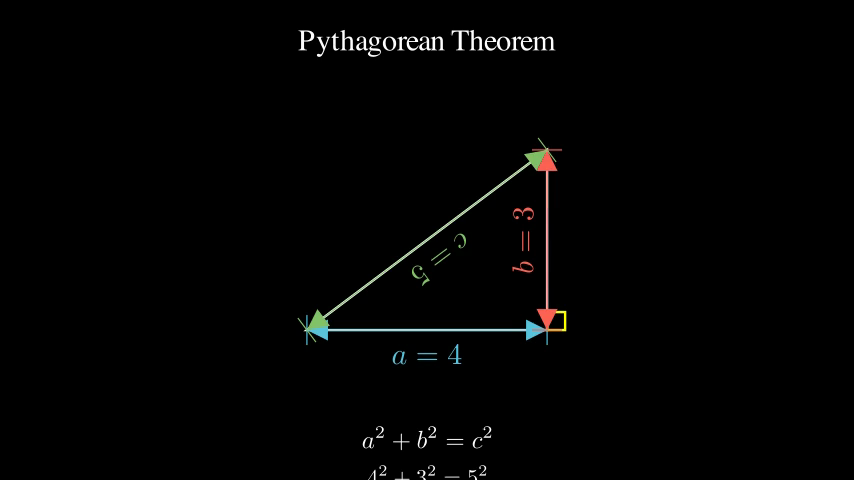
PythagoreanTheorem
Right triangle with Pythagorean theorem
Preview
Video
Code Example
# Create right triangle
triangle = Polygon(
    [-2, -1.5, 0],  # bottom left
    [2, -1.5, 0],   # bottom right
    [2, 1.5, 0],    # top right
    color=WHITE
)

# Add distance markers
a_marker = distance_marker(
    [-2, -1.5, 0],
    [2, -1.5, 0],
    label_text="a = 4",
    color=BLUE,
    label_offset=-0.4
)

b_marker = distance_marker(
    [2, -1.5, 0],
    [2, 1.5, 0],
    label_text="b = 3",
    color=RED,
    label_offset=0.4
)

c_marker = distance_marker(
    [2, 1.5, 0],
    [-2, -1.5, 0],
    label_text="c = 5",
    color=GREEN,
    label_offset=0.4
)

# Right angle indicator
right_angle = Square(side_length=0.3, color=YELLOW).move_to([2, -1.5, 0]).align_to([2, -1.5, 0], DL)

# Title and formula
title = Text("Pythagorean Theorem", font_size=36).to_edge(UP)
formula = MathTex(r"a^2 + b^2 = c^2", font_size=40).to_edge(DOWN)
values = MathTex(r"4^2 + 3^2 = 5^2", font_size=36).next_to(formula, DOWN)

# Animate
self.add(title)
self.play(Create(triangle))
self.play(Create(right_angle))
self.wait(0.5)
self.play(Create(a_marker))
self.wait(0.3)
self.play(Create(b_marker))
self.wait(0.3)
self.play(Create(c_marker))
self.wait(1)
self.play(Write(formula))
self.wait(0.5)
self.play(Write(values))
self.wait(2)
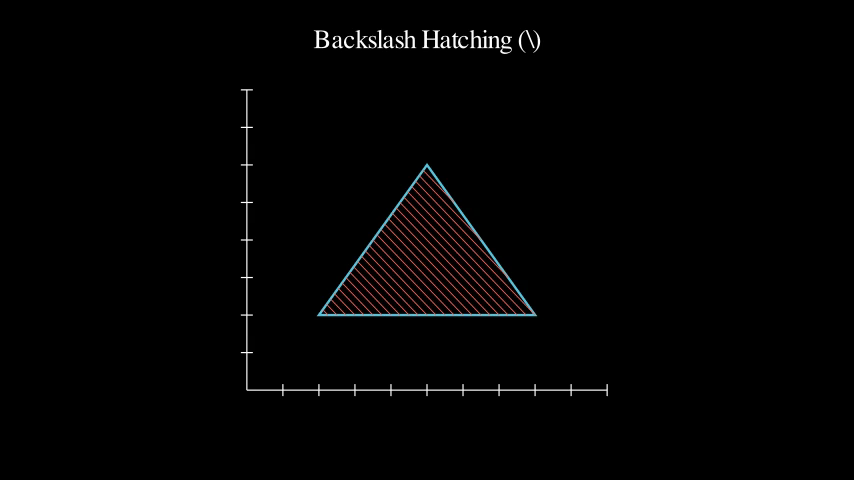
TriangleHatchDemo
Backslash hatching pattern on a triangle
Preview
Video
Code Example
# Create axes
axes = Axes(
    x_range=[0, 10, 1],
    y_range=[0, 8, 1],
    x_length=6,
    y_length=5,
    axis_config={"include_tip": False}
)

# Define triangle vertices
vertices = [(2, 2), (8, 2), (5, 6)]

# Create hatched region with backslash pattern
hatched, boundary = hatched_region(
    axes, vertices,
    spacing=0.25,
    direction="\\",
    color=RED,
    stroke_width=1.5
)

title = Text("Backslash Hatching (\\)", font_size=32).to_edge(UP)

# Animate
self.add(axes, title)
self.play(Create(boundary))
self.wait(0.5)
self.play(Create(hatched))
self.wait(2)